
 PCOSina
Problem & approach
For Filipino individuals with PCOS, planning meals means reconciling familiar food, exclusions, pantry ingredients and spending limits. These needs can conflict: a cheaper meal is not useful if it contains an excluded ingredient.
I connected a Kotlin/Compose client to a rule-based and constraint-solving planner, then saved returned plans locally for everyday access. PCOSina is a wellness decision-support project, not a diagnostic or clinically validated treatment tool.
- 01
Set preferences
Food needs, pantry and budget.
- 02
Request a plan
Backend filters and selects meals.
- 03
Review & save
Keep meals and grocery guidance locally.
Inside the application
Read the interface
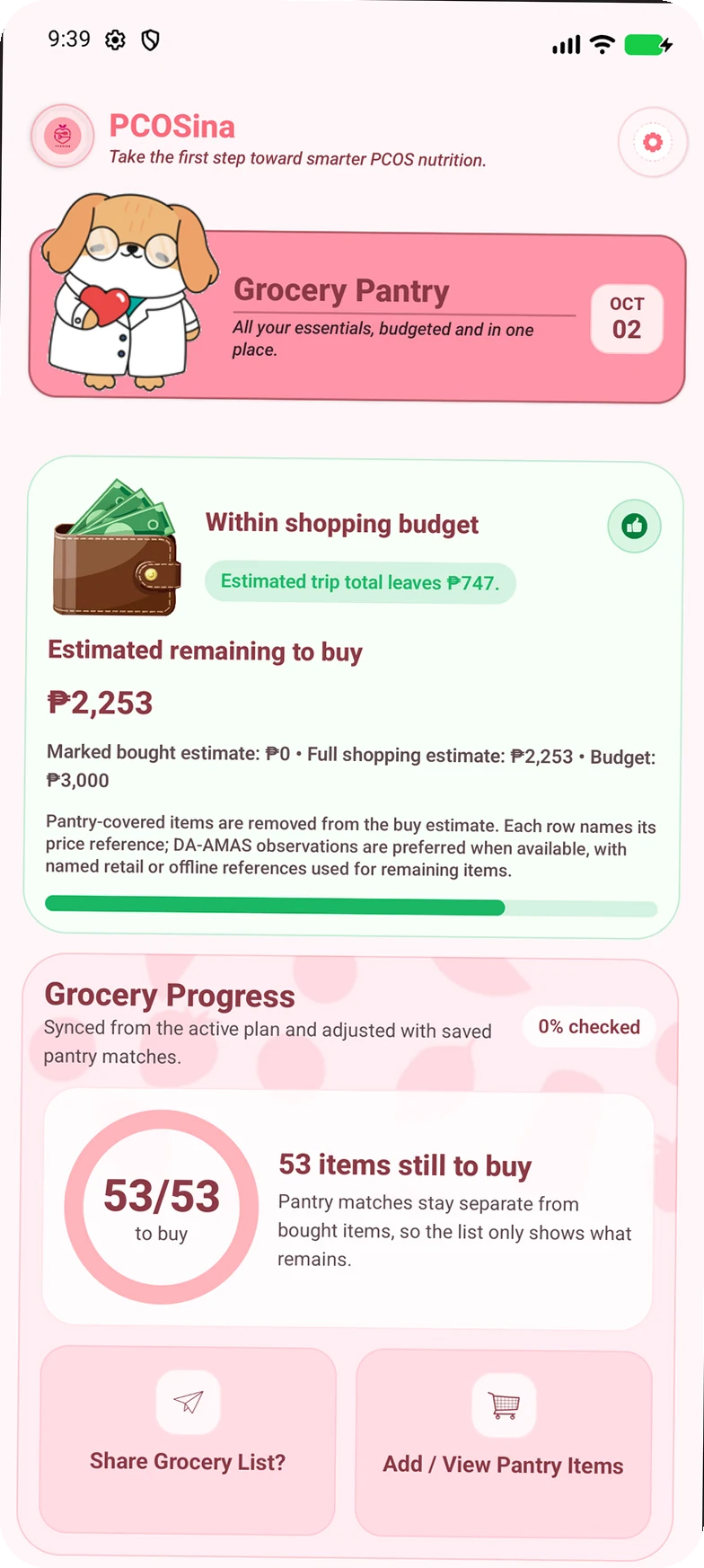
A shopping list with context.
Existing PCOSina project capture. Highlighted regions explain this interface; displayed amounts are sample capture data, not measured outcomes.
 Enlarge image
See what is still needed.
The grocery progress area separates remaining purchases from pantry matches. It gives the user a concrete next action: check the items still to buy.
More application captures (1)
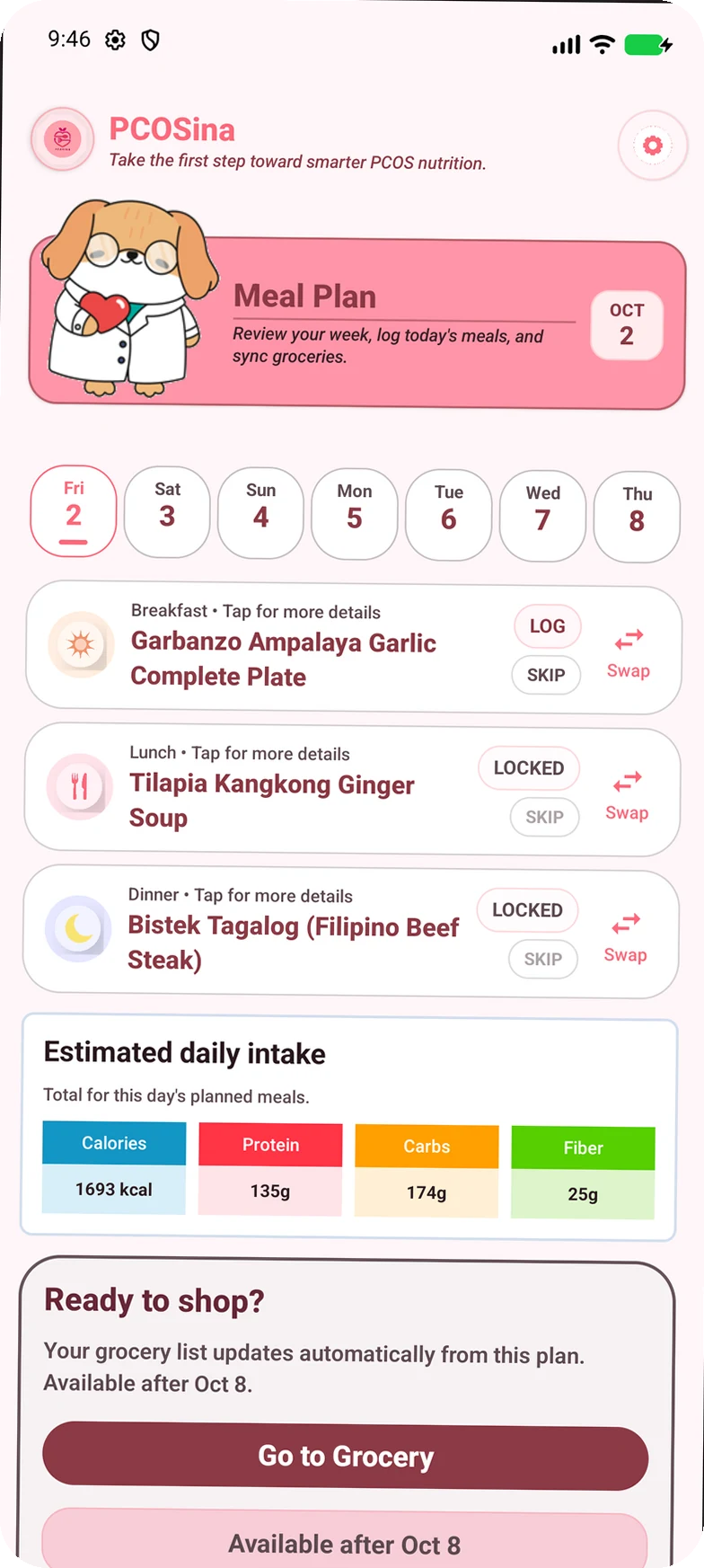
- PlanBuild a week around preferences, exclusions, pantry context and budget.
- AdjustInspect meals and request alternatives through the planning workflow.
- ShopUse ingredient quantities and pantry context to organize groceries.
System architecture
Kotlin / Compose application
Preferences, weekly meals and groceries
Read / write locally
Repositories + DataStore
Preferences and saved plan artifacts
Saved week & groceries
Planning request over network
Python / FastAPI
Rule filtering → optional ranking → CP-SAT selection
Plan or explicit failure
Explore the failure path
Behind the interface / 01
Illustrative walkthroughWhat happens if the connection drops?
A saved week and a new plan take different paths. Explore why that matters.
Saved plans & groceries
Previously saved information stays available locally.
Available locallyGenerate a new plan
Preferences go to the backend planning engine.
Requires connectivityLocal continuity, remote generation. Saving the returned plan separates everyday access from the availability of the planning service.
Read the scenario & implementation limits
With no connection, previously saved plans and groceries remain accessible; new generation is unavailable. An empty device has no saved week to show.
This source-based illustration makes no network calls, does not change your connection and is not a live test or guarantee of release readiness. Public source snapshots may precede the audited local changes.
- Kotlin
- Jetpack Compose
- Python
- FastAPI
- OR-Tools


Engineering decisions
Apply exclusions before ranking
I keep exclusion filtering ahead of optimization. Optional ML ranks candidates; it does not decide whether an excluded ingredient is allowed.
Source: Planning engine (opens in a new tab)Preserve viable choices in the shortlist
I narrow the candidate pool before solving. Excessive pruning can remove feasible choices, so candidate shaping must preserve useful nutrition and variety options.
Source: Candidate shaping (opens in a new tab)Implementation in focus
When no suitable plan exists
- Problem
- Exclusions and nutritional bounds can leave no feasible plan. Returning a successful-looking result would hide that conflict.
- Implementation
- The planner uses filtering, bounded solver paths and explicit infeasibility results. A failed generation request is separate from an already saved week.
Verification & status
5 focused planner tests passed
15 November 2026 · Python tests · Local working tree
Five selected tests passed: custom allergy exclusion, filtering before pricing, nutrition-anchor preservation, a basic seven-day plan and an infeasible nutrition request.
These checks used a locally modified working tree. They do not certify the full food catalog, Android workflow or clinical suitability.
Download verification record (JSON)Tester-stage project
The Android application, planning backend and tester-distribution configuration are implemented. Current end-to-end device behavior and deployment health still need fresh verification.
Some catalog mappings remain unresolved, and not every nutritional target is a hard constraint. No public production release or clinical effectiveness is claimed.
Lessons & next steps
I treat catalog consistency and explicit failure handling as part of the product, not just backend maintenance. A plan needs understandable inputs and an honest explanation when it cannot be produced.
Resolve remaining food-data mappings, verify the generate-and-save workflow on a device, and record that workflow for this case study.
Explore the implementation
Source links are pinned to public commit 1840999. The November local test snapshot differs; its file hashes and scope are recorded in the verification download.